Bring your WordPress sites over from another host
WPL7 copies a WordPress site from the host it runs on now into a new site on your panel. You install one plugin on the old site, and the panel pulls the files and the database through it while the old site keeps running.
Leave shared hosting one site at a time
Move client sites off shared hosting onto your own server. Import each one, check it on its dev address, refresh it, then switch its DNS.
One site at a time
Import sites one by one, at your own pace. Each becomes a normal site on your panel.
No downtime until you switch
The old site keeps running while the panel copies it, and until you move its domain.
Up to date on the day
Refresh from source copies the latest database and changed files just before you go live.
Five steps in the panel, one plugin on the old site
-
1
Start the import
In your panel, open Sites → Import site and download the plugin. WPL7 Migrate is a zip with this import’s own key.
-
2
Install it on the old site
Install and activate the plugin on the old site. The panel connects by itself.
-
3
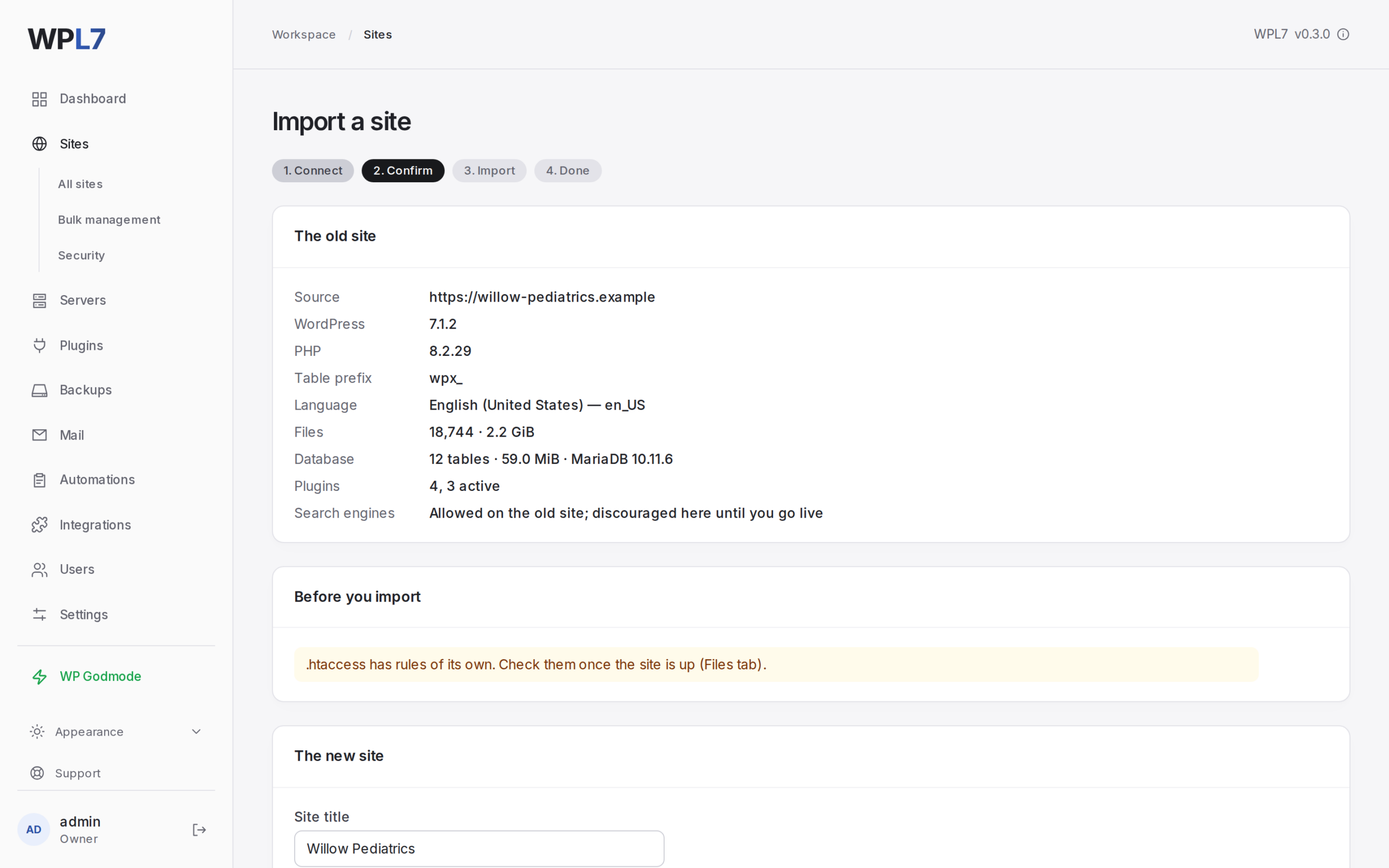
Confirm
The panel shows what the old site reported and any warnings. Set the site name and PHP version, and choose what to leave behind: plugins, drop-ins, must-use plugins.
-
4
Start import
The panel pulls the files and the database through the plugin while the old site keeps running.
-
5
Imported
The new site is ready on its dev address.
What you need
- An admin login on the old site
- HTTPS on the old site (a switch allows a site without it)
- Your panel reachable from the old site
- Free disk of about 2.5× the site’s size
A careful copy, then a clean site
Copies in short requests
Files and the database go into a staging folder in short requests, and the panel remembers how far it got.
- Stop and Continue whenever you like.
- Continue after a failure from where it stopped.
Builds the site on its dev address
- The database imported as the site’s own user
- A fresh
wp-config.php, with your settings carried over - The old address replaced with the dev address
- Search engines discouraged
- A first backup taken and a malware scan queued
- Users, passwords and language kept
Keep it current until the day you switch
For shops and sites with comments that keep changing, refresh the copy from the old site right before you go live.
Refresh from source
- Takes a backup first
- Shows a maintenance page on the old site while it copies the database again
- Copies files added or changed since, and deletes files deleted there
- If it fails after replacing started, the backup is put back
Go live
Go live moves the site to its domain and allows search engines again.
Disconnect
Disconnect on the site page deactivates the plugin on the old site.
What import doesn’t do
- Multisite networks and WordPress in a subfolder can’t be imported.
- Symbolic links, tables without the site’s prefix, views, triggers and stored routines aren’t copied.
- The panel writes its own
wp-config.php: database settings, keys, salts, paths and cache settings are never carried over. - The first copy of a big site can take hours.
Bring your first site over
Install WPL7 on your server, then open Sites → Import site.
Want us to move your sites? Contact us